Version 1.1.0 is out — free for Linux, Windows & macOS
ClipCraft
Edit videos like a pro. Pay nothing. Ever.
ClipCraft is a free, open-source desktop video editor with a pro multi-track timeline, 135+ transitions, auto-captions and an AI assistant — with no watermark, no account and no subscription. Your footage never leaves your computer.
Cut, caption and polish real videos — 135 transitions, an AI crew in the room, and a price tag of zero
00:0000:0200:0400:0600:0800:1000:12
Why ClipCraft
Everything you actually open an editor for
No stripped-down "free version". No feature held hostage behind a paywall. The whole editor, working offline, from the first launch.
Multi-track timeline
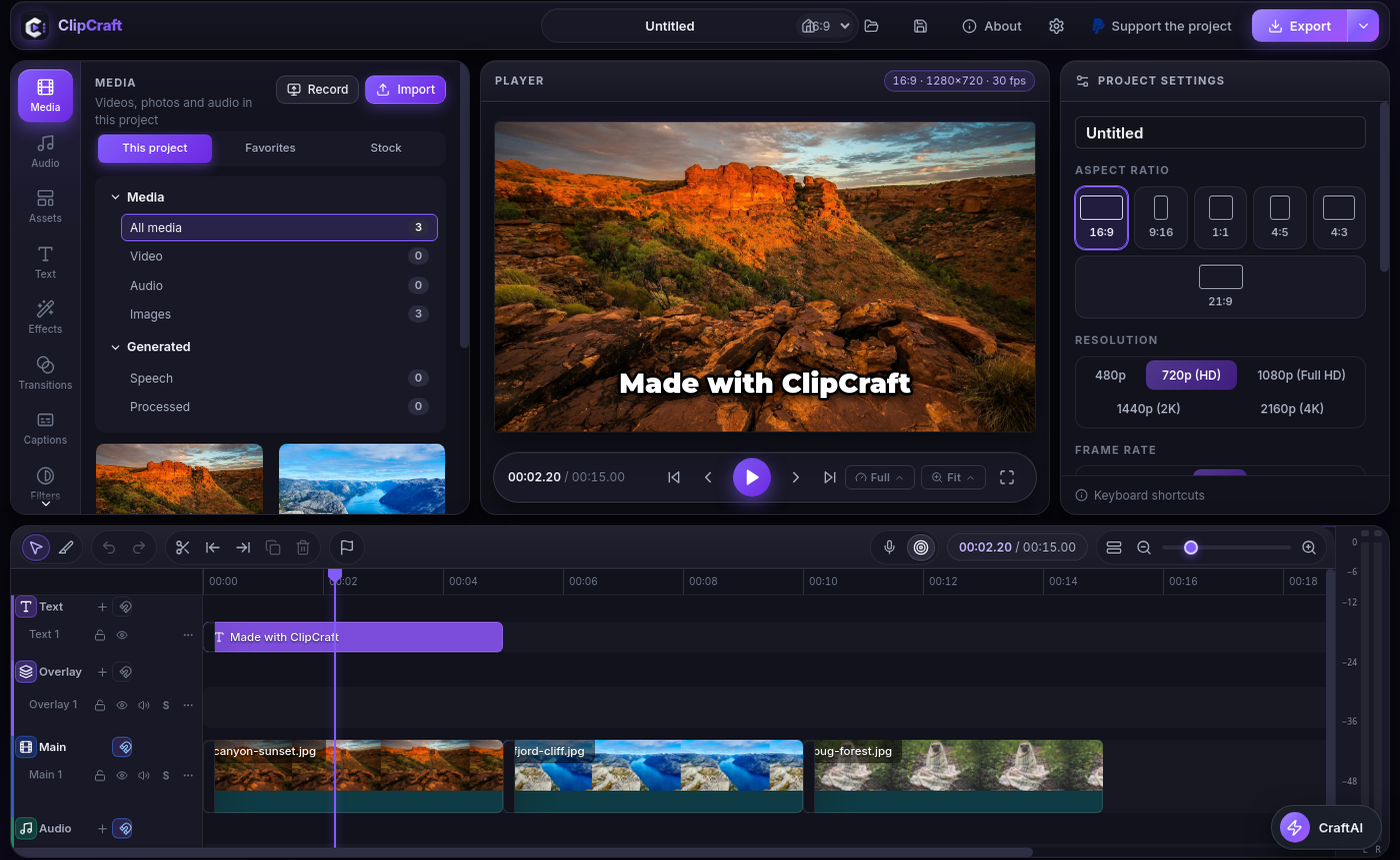
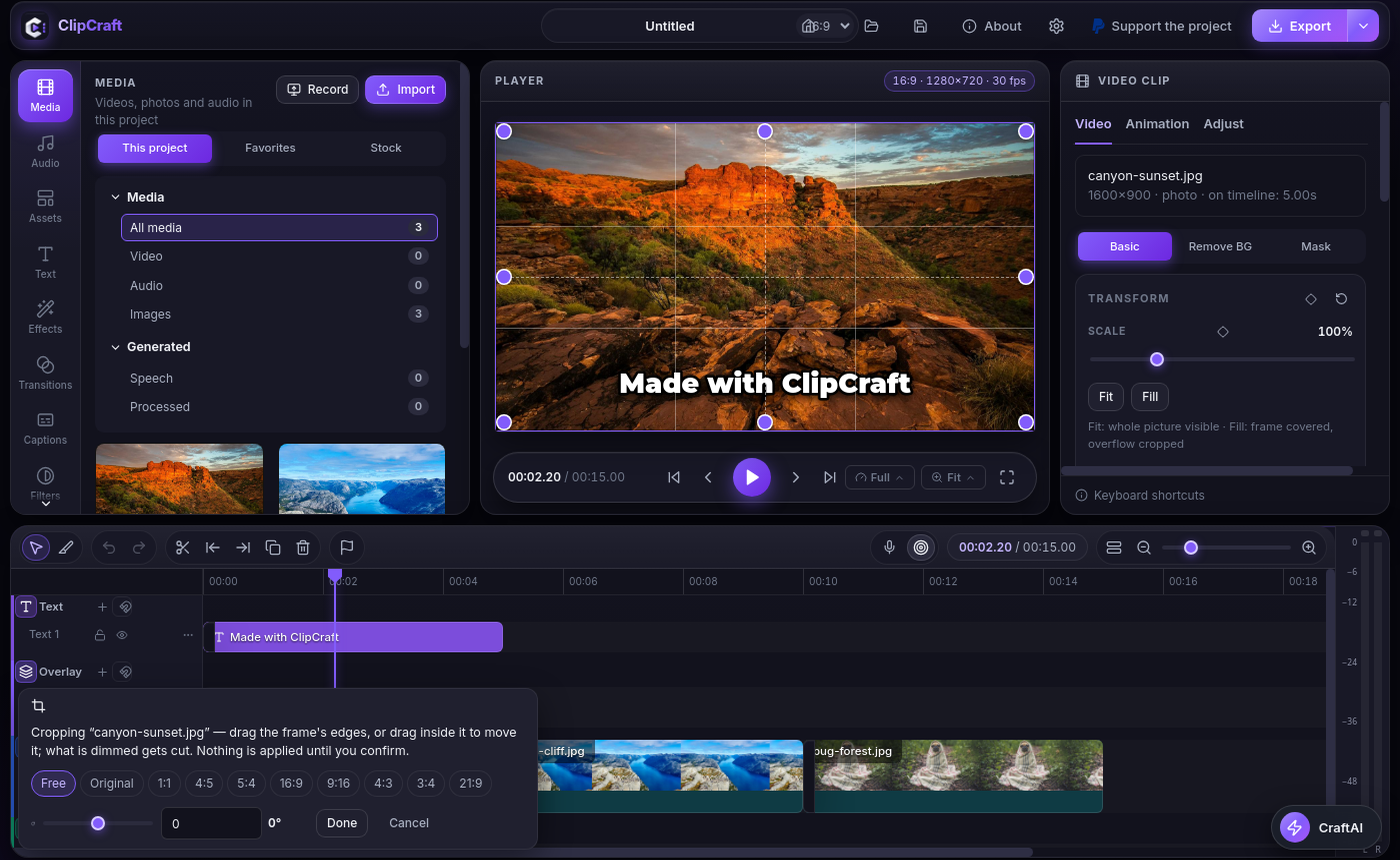
Video, audio, text, overlays and effects tracks — with keyframes, masks, chroma key, background removal, motion tracking, stabilization and speed control, plus a precision crop that stays true at any rotation.
135+ transitions, 103 effects
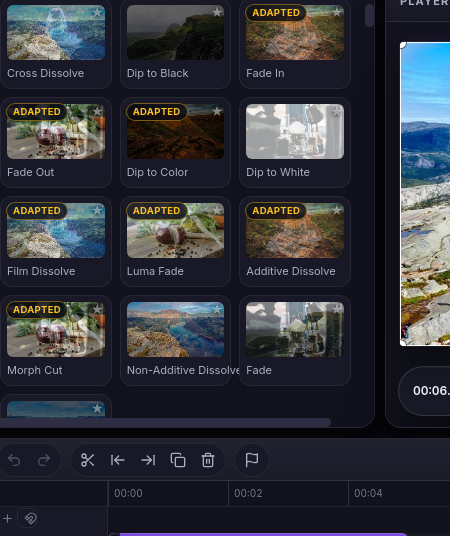
Themed packs — Zoom, 3D, Glitch, Blur, Light, Seamless, Cinematic and more — plus 103 stackable effects. Every tile previews the real thing on real footage before you apply it.
Auto-captions, on-device
Free Whisper transcription that runs on your machine — including a Darija model — or bring a cloud key when you want raw speed.
Animated text, done properly
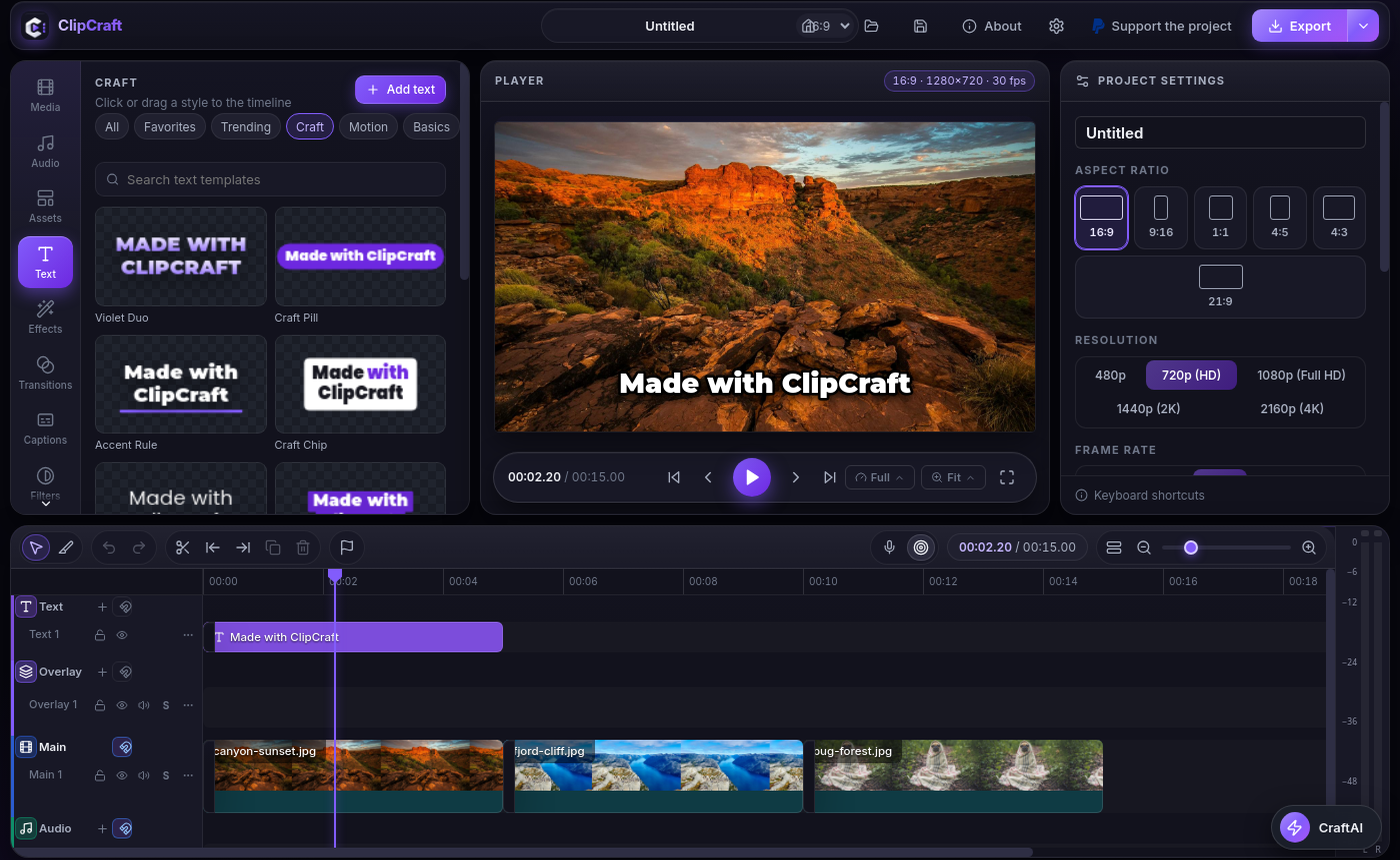
Dozens of in/out animations, word-by-word styling, and real Arabic / RTL shaping. Subtitles import as editable clips — restyle one or all, timing untouched.
Real color grading
Curves, HSL, color wheels and .cube LUTs. What the player shows is exactly what the export renders — the preview never silently changes the render.
Templates, stock & recorder
40+ designed templates and 54 text templates built in, stock media, and a screen recorder that drops captures straight onto your timeline.
CraftAI assistant
An AI editor inside the app — 40 tools, running on your provider and your key, and drivable from external agents over MCP. Ask for an edit in plain words and watch it work on your timeline — you stay in control.
Forge — generate media
Generate images and video clips — from a starting frame — with your own provider key, straight into your media library. No separate tool, no round-trip.
100% local & private
No account, no upload, no telemetry traps. Your projects and footage stay on your computer, and everything works fully offline.
Honest 4K export
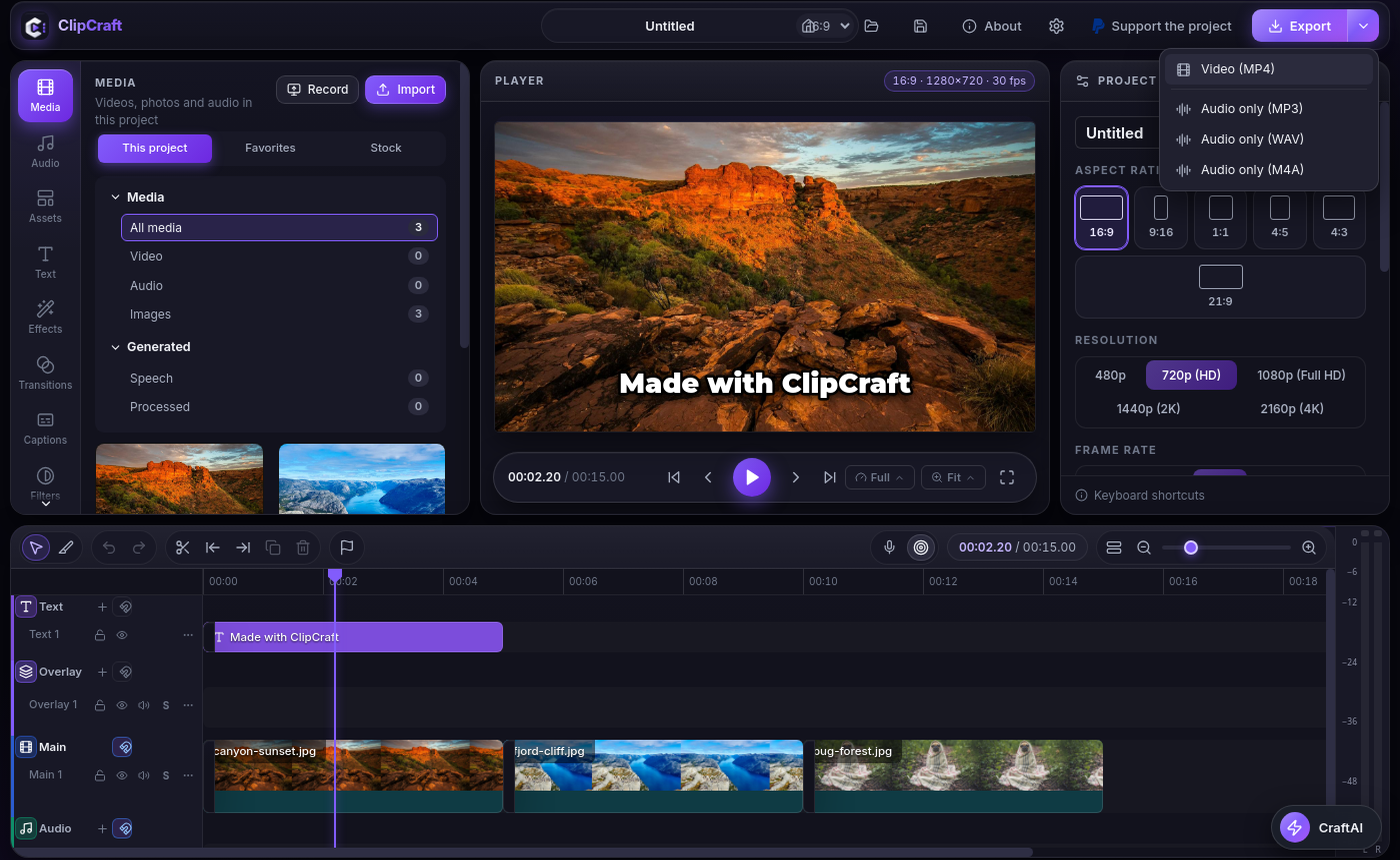
Presets for TikTok, Reels, Shorts and YouTube — plus full custom control over codec, CRF or bitrate, resolution up to 4K and frame rate. Trimmed sources are seeked, not re-decoded from zero — exports start instantly and run up to ~40% faster — and adaptive performance modes (Low-End / Balanced / High-Performance) tune background work to your machine.
How it works
Footage in. Finished video out. Three steps, no friction.
1
Start in your format
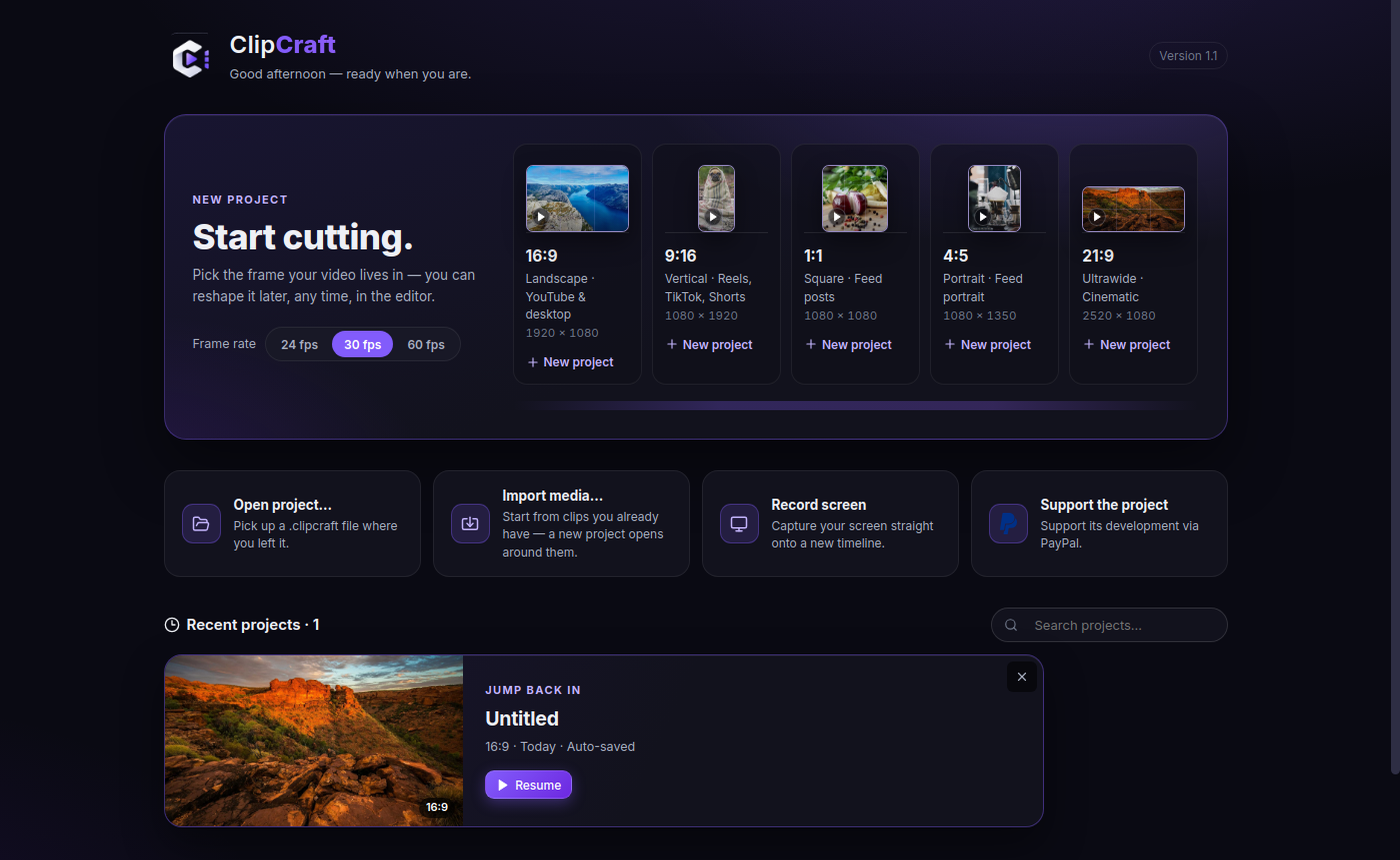
Pick 16:9, 9:16, 1:1, 4:5 or 21:9 at 24, 30 or 60 fps — or drag media in and let the sequence guard match the project to your footage, asking before it changes anything.
2
Cut, style, animate
Trim on the multi-track timeline, drop in transitions and effects, let Whisper caption it on-device, or hand a look to CraftAI. Everything previews exactly as it will export.
3
Export up to 4K
One click with a platform preset, or full control over codec, CRF and frame rate. No watermark stamped on your work. No upload. The file is yours.
The Playground
Don't just watch a demo. Drive one.
This mini-editor runs right here, built the way ClipCraft thinks: press play, ride the timeline, and fire a transition at the cut. The photos are the same ones ClipCraft uses on its own tiles.
PREVIEW00:00.00
00:00 / 00:12
VIDEO
river.mp4
canyon.mp4
dog.mp4
CAPTIONS
This is a real timeline
Transitions fire at the cut
Captions ride along free
AUDIO
Pick a transition and it fires at the next cut — or tap one to cut now. Click anywhere on the timeline to jump. In the app, all 135+ work exactly like this, on your real footage.
Transitions
135+ transitions. Every tile is the real engine.
Transition previews run the actual effect on real photos, so the tile you pick is exactly the cut you get. Set the duration, drop one between two clips, done.
Real previews — no fake thumbnails, no surprises at export
One drop — drag between clips, adjust duration on the timeline
Zoom3DGlitchSeamlessLight & GlowCinematic+9 more packs
Effects & color
Stack effects anywhere. Grade like you mean it.
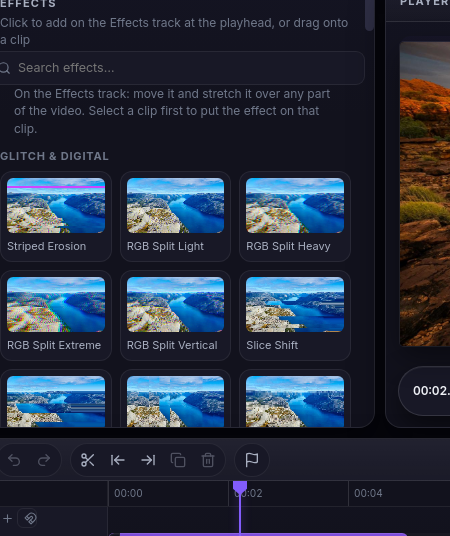
Glitch & digital looks, film emulation, light leaks and more. Apply effects to a single clip — or stretch one across the effects track over any part of the video.
Effects track — one effect over a whole section, not clip by clip
Chroma key, masks & keyframes built into every clip
Curves, HSL, wheels & LUTs for a finish that looks intentional
Captions
Captions that sell the scroll-stop.
Whisper runs on your device — free, private, offline — and turns speech into word-by-word captions you can style like text, because they are text: editable clips on your timeline.
Word-by-word animation — the style that holds attention on Reels & TikTok
Darija model included, plus full Arabic RTL shaping
SRT in, style on — import an SRT, restyle one caption or all of them, timing untouched
Play a real exported sample
Live demo — the same word-by-word highlighting ClipCraft burns into your export.
Caption Lab
Your words. ClipCraft's timing.
Type a line, pick a style, watch it land word by word — the same engine that styles captions on your timeline. Try the Darija line: Arabic shapes properly, right to left.
In the app this is automatic: Whisper transcribes on your device, and every word becomes an editable clip — restyle one, or all of them at once.
CraftAI Your provider · Your key
MD
Moon DriftCamera floats in a dreamy drift
LC
Loud & ClearGiant captions, punchy cuts
FS
Full SendLoud, fast, saturated
SS
Silver ScreenTeal and orange cinema look
SD
Sunny DayWarm light, jump cuts
CC
Chaos CutReaction zooms and shakes
“Cut the filler, style the captions, apply a look…”
Tap a look — that's really how it starts.
CraftAI
An AI assistant that edits with you — not instead of you.
One-click looks, or just say what to do: cut the filler, style the captions, apply a grade. CraftAI runs multi-step edits on your timeline and shows its work, so you stay in control of every change.
Your provider, your key — Gemini, OpenAI, Anthropic, Groq, OpenRouter, Ollama and more
No ClipCraft account, no middleman — requests go from your machine to your provider
Every change is visible and undoable on the timeline
Made for your feed
Whatever you publish, it starts here
Reels, TikTok & Shorts
Vertical-first projects, word-by-word captions and transitions timed for the scroll.
9:16 · 1080 × 1920
YouTube videos
Long-form timelines, chapters of B-roll, LUTs and a 4K export that keeps your quality.
16:9 · UP TO 4K
Tutorials & screen recordings
Record your screen straight onto the timeline, then caption and clean it up in the same place.
RECORDER BUILT IN
Podcast clips
Pull the moments that travel: auto-captions, punch-in zooms and vertical reframing in minutes.
AUDIO-FIRST WORKFLOW
Shot on location · Cut in ClipCraft
Every frame deserves a finish.
Grade it, caption it, ship it in 4K — without the footage ever leaving your machine.
Screenshots
Inside the app
Real screenshots from the shipped 1.1.0 build. Click any view to zoom.
Start in the frame your video lives in — 16:9, 9:16, 1:1, 4:5 or 21:9, at 24, 30 or 60 fps.
The honest comparison
Free editors usually aren't
ClipCraft
Typical “free” editors
Watermark on export
Never
Yes, unless you pay
Account required
No
Yes
Subscription
None — $0
Monthly, forever
Your footage uploaded
Never — 100% local
Often, for “cloud features”
Works offline
Fully
Partially
4K export
Included
Usually paywalled
00:0000:0200:0400:0600:0800:1000:12
Get ClipCraft
Free. As in, actually free.
$0 / forever
Every feature. Every transition. Every export. No trial clock, no watermark, no “Pro” tier waiting at the door.
The Windows and macOS builds are unsigned for now: SmartScreen asks for More info → Run anyway, Gatekeeper for a right-click → Open on first launch.
Updates are manual and honest: About → Check for updates inside the app. Nothing auto-installs, nothing phones home.
FAQ
Questions, answered straight
Yes. ClipCraft is free and open source (MIT) — every feature included, no watermark, no trial period and no subscription. It is built by an independent developer, Hamza Abika, for creators who are tired of renting their own tools.
No account, and no connection either. ClipCraft runs 100% on your computer: editing, templates, captions and export all work offline. The only optional network features are stock downloads and CraftAI, which uses your own API key with your own provider.
TikTok, Reels and Shorts, YouTube videos, tutorials and screen recordings, podcast clips — projects can start in 16:9, 9:16, 1:1, 4:5 or 21:9 at 24, 30 or 60 fps, and export up to 4K.
ClipCraft uses Whisper on your device, so transcription is free and your audio never leaves your machine. A Darija model is included, and Arabic text is shaped properly (RTL). If you prefer cloud speed, you can plug in your own key instead.
All three: Linux (.deb for Ubuntu / Debian and derivatives), Windows (NSIS installer) and macOS (.dmg, Apple silicon & Intel) — version 1.1.0 ships for all of them. The Windows and macOS builds are unsigned for now, so expect one extra click on first launch (SmartScreen: More info → Run anyway; Gatekeeper: right-click → Open).
An AI editing assistant built into the editor. It works with your provider and your API key (Gemini, OpenAI, Anthropic, Groq, OpenRouter, Ollama and more), applies one-click looks or follows your instructions with multi-step edits — and shows its work, so every change stays visible and undoable.
00:0000:0200:0400:0600:0800:1000:12
Your next video deserves better than a watermark.
Download ClipCraft, open your footage, and export something that's fully yours — today, free, offline.
ClipCraft is free, open source and built by one developer. If it earns a place in your workflow, a small tip helps keep it free for everyone — entirely optional, the app is already yours.